Using the Project Management System
The Data Hub Project Tracking System is a tool to manage your Data Hub storage projects. You can create and edit storage using the tool. Only MSU faculty and delegates can log in to the tool and use it. If you believe you should have access, please contact us.
After logging in with your MSU credentials via Globus, you can perform the following actions:
Creating storage folders
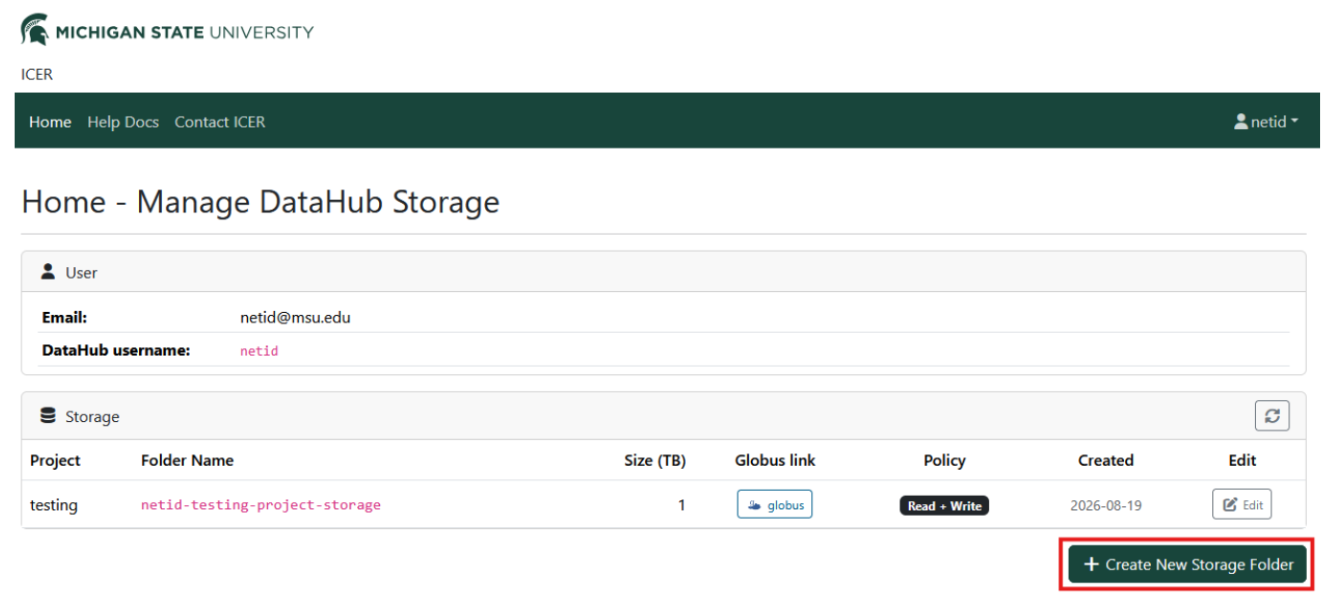
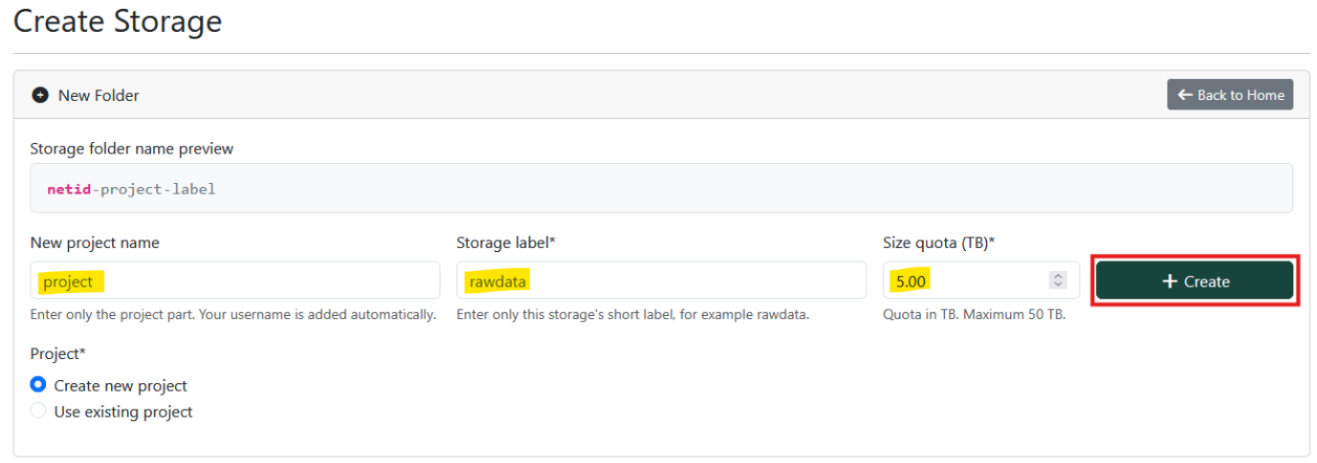
Click “Create New Storage Folder” and fill out the form. You can choose to name a new project or use a previously created project name. Then provide a unique label. The form will preview the storage name. Choose a size quota in Terabytes (TB, 1000 Gigabytes) up to 50 TB. Click “Create” to reserve the storage folder. The access policy will default to Read + Write so that you can transfer data to the folder immediately.
Accessing storage folders
Once you have created a storage folder, you can view them on the home page. You can access them by clicking the Globus link on the storage folder row. You can also see their current size capacity and access policy. If the access policy is set to Read + Write, you and others you have shared the folder with can read data, transfer data, and delete data. If the access policy is set to Read Only, you and others you have shared the folder with may only read the data.

Editing storage folders
You can edit any of your storage folders by clicking the “Edit” button on the home page on a storage folder row. You can modify the storage quota and access policy at any time.

Sharing storage folders
To share storage folders with other MSU students and employees, or with the general public, please use our Globus integration. Note that you can share the entire folder or parts of it as you require.
Delegating management to other MSU employees
To allow other MSU employees to manage your Data Hub storage on your behalf, please contact us.
Reporting issues
If you encounter an issue using the Project Tracking System, please send us a ticket using the Contact Form using the subject "Project Tracking System".